Shopify Holiday Season 2026: What It Is and Why It Matters
The holiday season runs November 1 to December 31. Key 2026 dates, why it matters for Shopify stores, and how to show every variant and get found by AI shoppers.
By Craftshift Team · · 9 min read
The holiday season is the November 1 to December 31 shopping period that includes Black Friday, Cyber Monday and Christmas, and it is the busiest two months of the year for most Shopify stores. In the US, shoppers spent a record $257.8 billion online during the 2025 holiday season, so the way your products are found and shown in those eight weeks shapes a large part of your year.
This post explains what the holiday season is, why it matters for a Shopify store, and two things that changed how shoppers buy: they scan collection pages fast, and they ask AI assistants first. We cover two apps for those two moments: Stamp Show Variants Collection, built by Sezerium, and Octolift, which we build at Craftshift. A short section at the end covers product images with our app CS - Export Product Images.
What is the holiday season for Shopify stores?
Retail reports define the holiday season as the months of November and December. The National Retail Federation measures holiday sales from November 1 to December 31, and Adobe uses the same window for online spend. For a Shopify store it is one long season with several peaks, not a single weekend.
| Date (2026) | Event | What it means for your store |
|---|---|---|
| Sunday, November 1 | Holiday season starts | Gift shoppers start comparing products |
| Wednesday, November 11 | Singles’ Day | Big in Asia Pacific markets |
| Thursday, November 26 | Thanksgiving (US) | Early Black Friday offers go live |
| Friday, November 27 | Black Friday | Highest traffic of the year for many stores |
| Saturday, November 28 | Small Business Saturday (US) | Shoppers look for independent brands |
| Monday, November 30 | Cyber Monday | The biggest online spending day in the US |
| Friday, December 4 | Hanukkah begins (evening) | Gift orders for eight nights |
| Monday, December 14 | Green Monday | Last big push with normal shipping |
| Friday, December 25 | Christmas | Digital gift cards still sell |
| Saturday, December 26 | Boxing Day | Clearance and gift card spending |
| Thursday, December 31 | Holiday season ends | Returns and exchanges start |
For lead times and the full calendar into 2027, see the Shopify peak season calendar on craftshift.com. For the BFCM weekend itself, see BFCM 2026: prepare Shopify products for AI shopping agents.
Why does the holiday season matter so much?
Because a large share of the year’s online sales happens in it, and the numbers keep growing:
| Figure (2025 holiday season) | Value | Source |
|---|---|---|
| US online spend, November 1 to December 31 | $257.8 billion, up 6.8% | Adobe |
| Cyber Monday online spend | $14.25 billion | Adobe |
| Online transactions made on a smartphone | 56.4% | Adobe |
| Traffic to retail sites from generative AI tools | Up 693.4% year over year | Adobe |
| Shopify merchant sales over the BFCM weekend | $14.6 billion | Shopify |
Two of those lines change how you should prepare. More than half of purchases happen on a phone, where a collection page shows two cards per row and a hidden color is one tap too far. And traffic from AI tools grew almost eightfold, so more shoppers arrive after an assistant picked products for them.
How do holiday shoppers find products in 2026?
A holiday purchase now often has two moments:
- The collection page. A shopper who lands on your store scans the grid. If a jacket in six colors shows as one card, the five other colors stay hidden behind a click, and many shoppers will not make it.
- The AI answer. A shopper asks ChatGPT, Gemini or Claude “best gift for a runner under $50”. The assistant reads product data from catalogs, names a few products and links to them. If your product is not named, you never get the visit.
The rest of this post covers each moment with one app, starting with the collection page.
How do you show every variant on holiday collection pages?
A Shopify collection page shows one card per product by default. Stamp Show Variants Collection gives each variant its own card, with its own image, title and price, on collection and search pages. The App Store listing shows a 5.0 rating from 183 reviews and the Built for Shopify badge.
Watch the Stamp video on YouTube (opens the video).
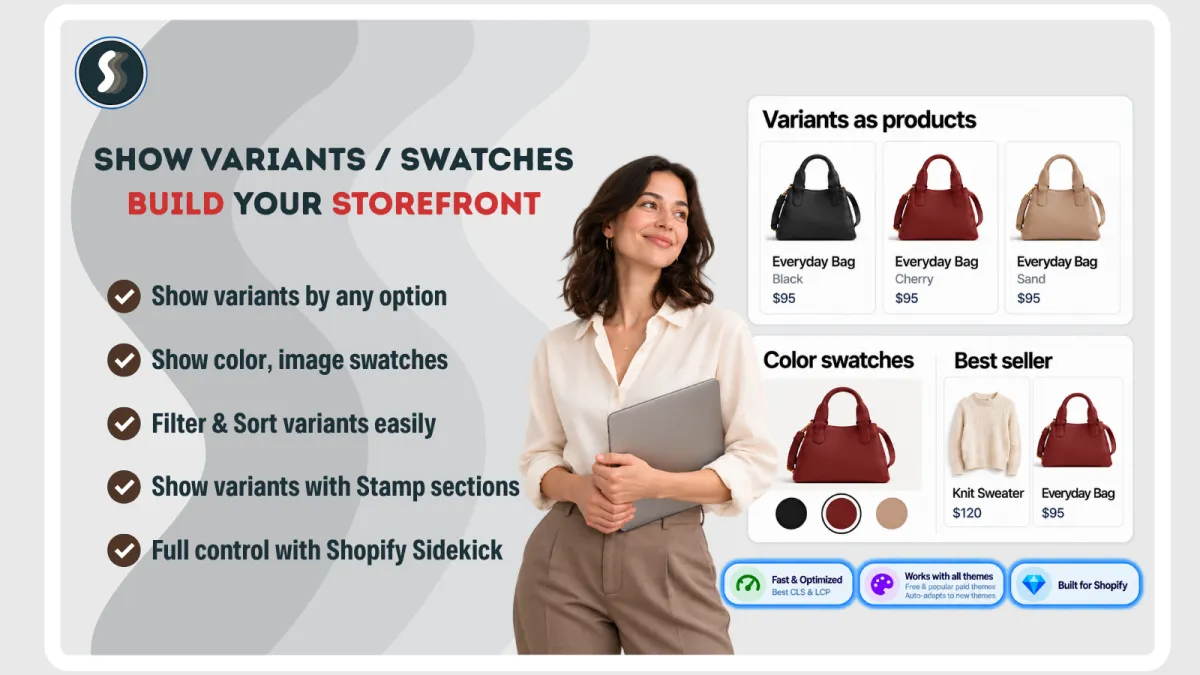
Why not duplicate products for each color?
Sezerium’s guide on how to show variants on a collection page in Shopify compares three methods:
| Method | Catalog stays intact | Survives theme updates | Easy to turn off |
|---|---|---|---|
| Duplicate products per color | No: stock, reviews and analytics split | Yes | No |
| Edit the theme code | Yes | No: re-patch after updates | No |
| Split at display time (Stamp) | Yes | Yes | Yes |
Duplicates also create near-identical pages that compete in search, and every holiday price change has to be made several times.
How do you set up Stamp before the holiday rush?
Stamp runs as an app embed, so the steps are the same on Dawn, Horizon or a paid theme:
- Turn on Show variants separately in the app.
- Pick a collection, for example your gift guide or sale collection.
- Pick a theme. On a live store, duplicate your theme and preview on the copy.
- Choose how to split: by the first option (often Color), the second, both combined, or selected option names.
- In the theme editor, open App embeds, turn on Variants on Collection and save.
Which Stamp settings help most in November and December?
- Swatches on cards show the colors still available without opening the product.
- Per-collection rules let a sale collection show only discounted variants while other collections stay as they are.
- Smart sort ranks variants by their own sales, pushes out-of-stock items down and new items up, manually or on a schedule.
- Hide out of stock, Hide products/variants without images and Mix variants keep the grid clean when stock moves fast.
- Sections and promo cards add best-seller or featured collection sections and a promo card for your holiday offer.
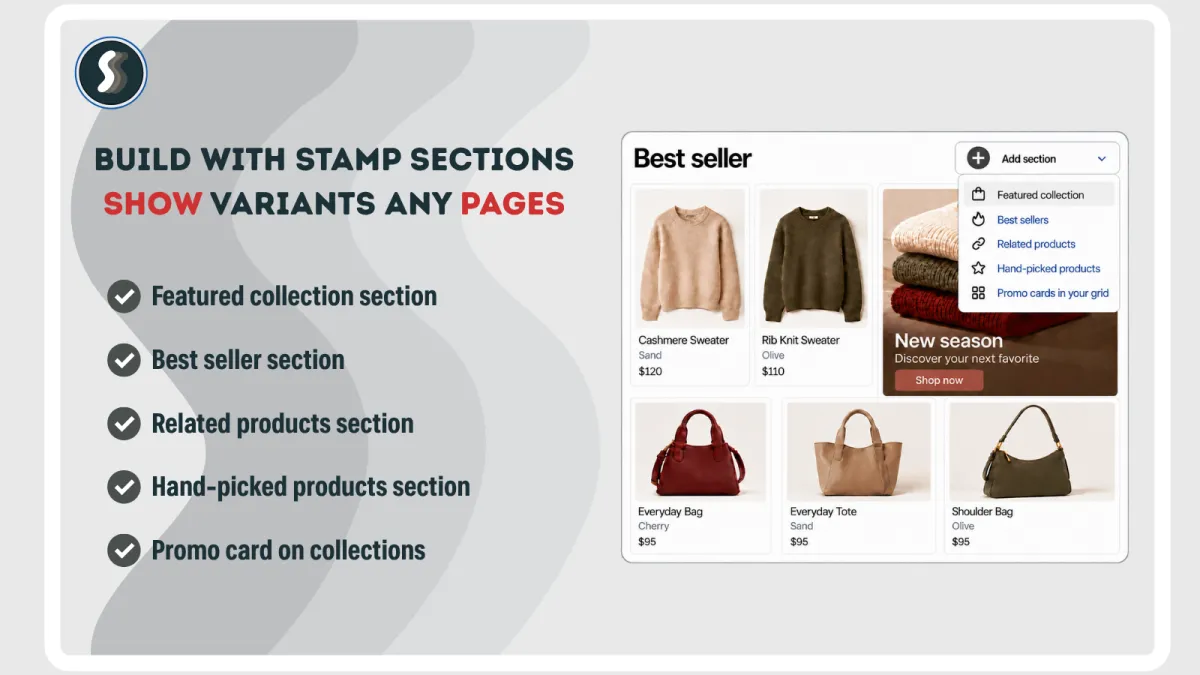
The free Build plan lets you set everything up and test it. Standard is $12 a month and Advanced (swatches, smart sort, per-collection settings, promo cards) is $24 a month, both with a 3-day free trial.
How do you get recommended by AI shopping assistants?
AI assistants recommend products whose data they can read and trust: a clear title, a full description, the right category, variants, stock, policies, reviews and images with alt text. Octolift checks this the way an agent does and gives every product an AI visibility score from 0 to 100.

Watch the Octolift video on YouTube (opens the video).
For the holiday season, use it in this order:
- Score the products you will promote. The score is split into Agent readiness (what the Shopify catalog returns to an agent) and Listing quality (what you write). Start with the lowest scores.

- Fix titles, descriptions and categories with AI. Octolift drafts better text from your product data and up to four product photos. Nothing changes in your store until you apply a suggestion, and applied changes can be undone for 30 days. Rescan to confirm the new score.
- Track the questions gift shoppers ask. Add questions such as “most comfortable wool socks” and see whether ChatGPT and Gemini name your product, by country. Paid plans re-check them every week.
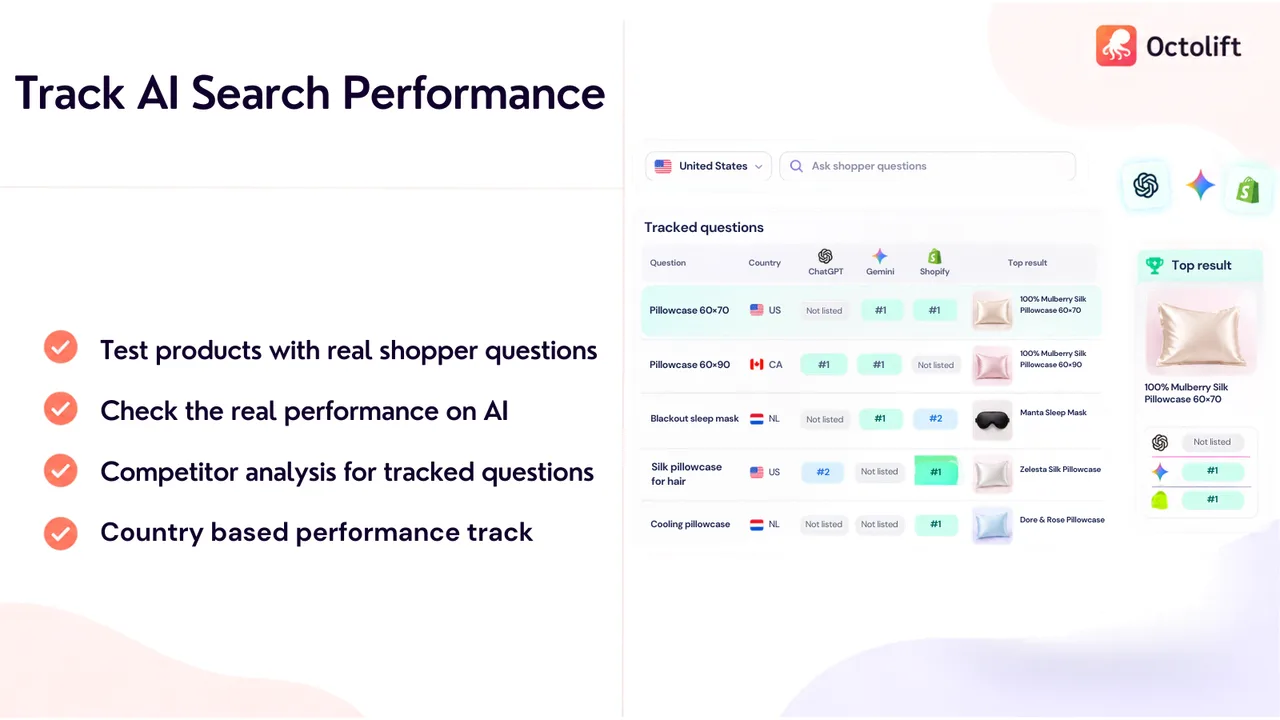
- Measure what AI sends you. After the season, see the visits, orders and revenue that came from AI assistants.
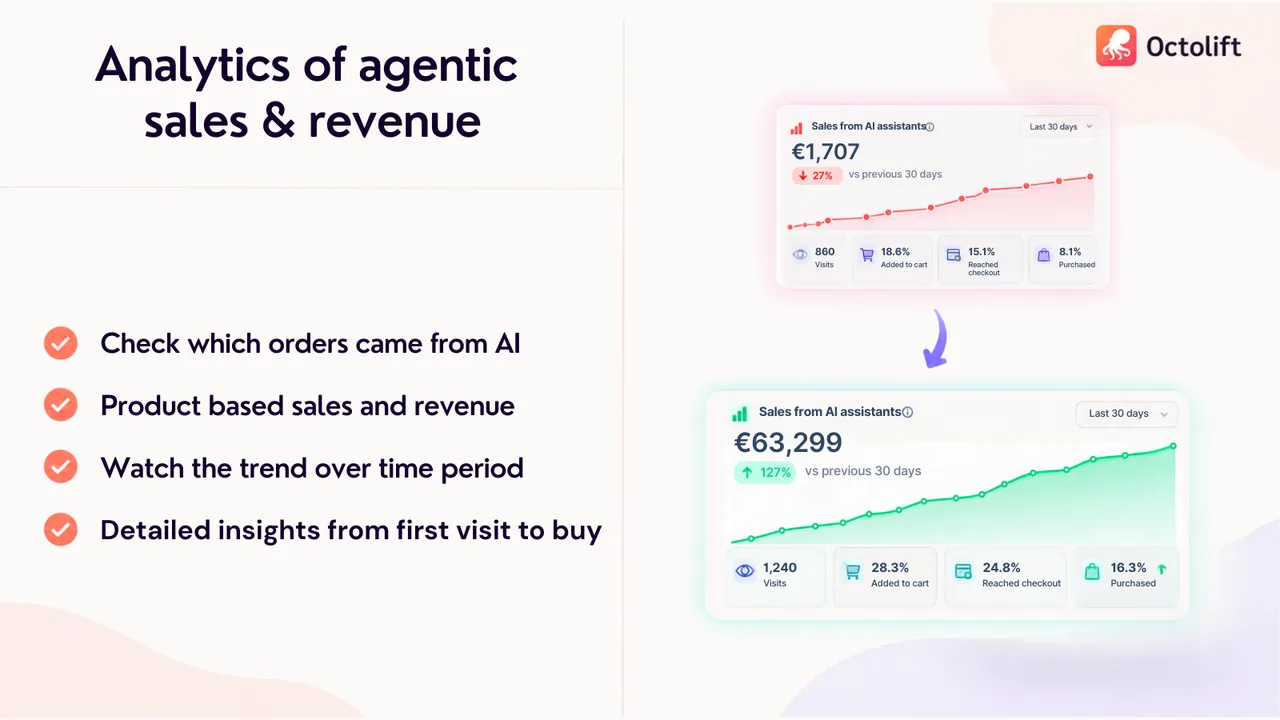
The free plan covers 5 products and 5 shopper questions. Paid plans start at $29 a month for 100 products. Images are one of twelve checks; our post on how AI shopping assistants read product images explains that check in detail.
How do you prepare product images with CS - Export Product Images?
Both apps depend on your photos. Stamp shows the variant image on each card, so a variant without its own photo looks like a duplicate, and Octolift checks for three or more images with alt text. CS - Export Product Images is our app for the first step: it downloads your product images, videos and 3D models as one ZIP, so you can see what you have and keep a backup before you change anything for the season.
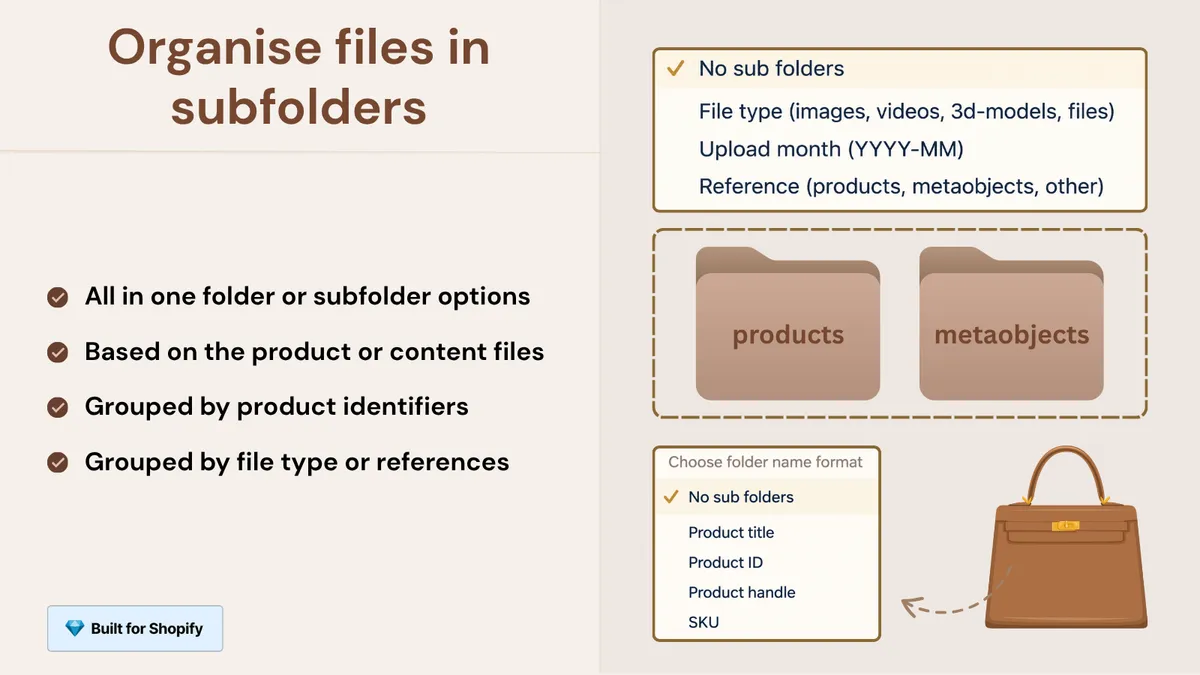
- Open Export product files, filter by status, stock or your holiday collection (all filters are in export product media) and press Preview files.
- Choose the Product title folder layout (see file names and folders) and press Export files. With one folder per product, products and variants with too few photos stand out.
- Download the ZIP from the email and keep it as your restore point. The free plan covers 100 files a month.
To add the missing photos in bulk, our pair app Smart Bulk Image Upload matches files to products and variants by SKU.
What is a holiday season plan for 2026?
| When (2026) | Stamp | Octolift |
|---|---|---|
| Now to October 31 | Export a backup of your product images with CS - Export Product Images, add missing variant photos | Score your holiday products, fix the lowest ones, add 5 to 10 shopper questions |
| November 1 to 14 | Split gift and sale collections on a theme copy, turn on swatches and hide rules | Rescan, apply remaining suggestions |
| November 15 to 26 | Run smart sort, publish the theme, test on mobile | Check weekly AI results for tracked questions |
| November 27 to December 14 | Watch sold-out variants and keep the sale collection current | Watch AI visits and orders |
| December 15 to 31 | Switch to gift card and Boxing Day collections | Note which questions and products did best |
What are the limits?
- Stamp changes the display, not your catalog. Variants still share one product page, one review set and one stock record per variant.
- Test Stamp on a theme copy before you publish, especially if you use custom collection templates.
- No app can guarantee an AI recommendation. Answers change between runs and countries. Better data makes a product easier to find and quote.
- Octolift does not create photos. It tells you which products need more images or alt text.
- CS - Export Product Images exports files, not product data. It does not change your store.
- The Octolift and CS - Export Product Images interfaces are in English.
Summary
The holiday season runs from November 1 to December 31, with Black Friday on November 27 and Cyber Monday on November 30 in 2026. More shoppers now buy on a phone and ask an AI assistant first, so the products that win are the ones a shopper can see at a glance and an assistant can read. Use Stamp Show Variants Collection to show every color and size on your collection pages and Octolift to get recommended in AI answers. Both have a free plan to set things up before you pay.
Before you change your product photos for the season, keep a full copy. Install CS - Export Product Images and export your first 100 files free this month.